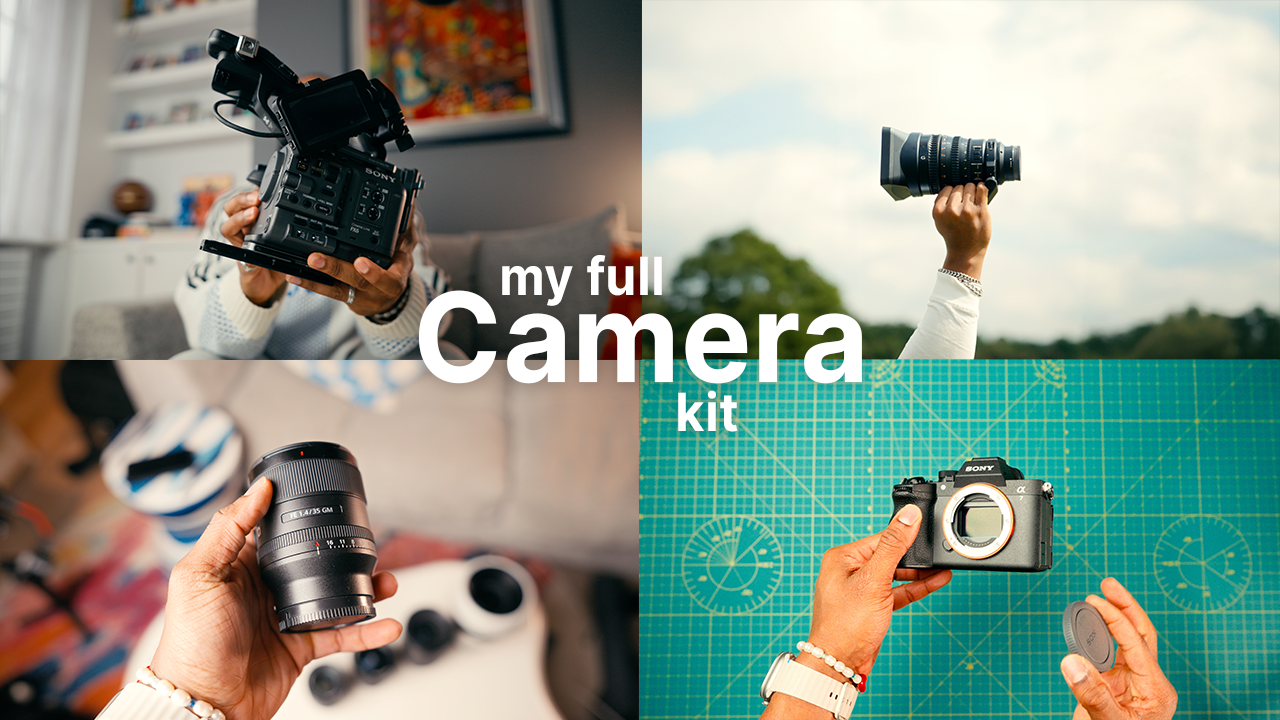
the gear i use to create for a living (and what’s actually worth buying)
This post is a written companion to my full YouTube video, where I walk through this entire setup in detail and explain how each piece fits into my real-world workflow. If you’d rather watch than read, you can check out the full video here.
If you’ve ever spiralled into research mode trying to figure out the “best” camera, lens, or setup, you’re not alone. Gear is genuinely exciting, but it’s also one of the easiest places to get stuck. You can spend weeks optimising a kit on paper, only to realise you still haven’t shot anything.
I make videos full-time, both for clients and for my own content. Over the years, my relationship with gear has changed a lot. The goal isn’t to own the most stuff or chase whatever’s newest, it’s to build a setup that removes friction so you can work faster, shoot with more confidence, and stay focused on the creative.
This post is a written version of my video and includes every item I mentioned, plus why I use it and where it fits in my workflow. It’s not meant to be a “go buy exactly this” list, because everyone’s niche is different. But if you’re making content for social media, YouTube, and the occasional client job, this should give you a solid framework for what’s worth prioritising and why.
how i carry everything (this matters more than you think)
Before cameras and lenses, the boring truth is that organisation is what makes the kit usable. If packing and unpacking is a pain, you end up leaving gear behind, rushing setups, or missing shots.
nanuk 935 hard case (big travel + bigger jobs)
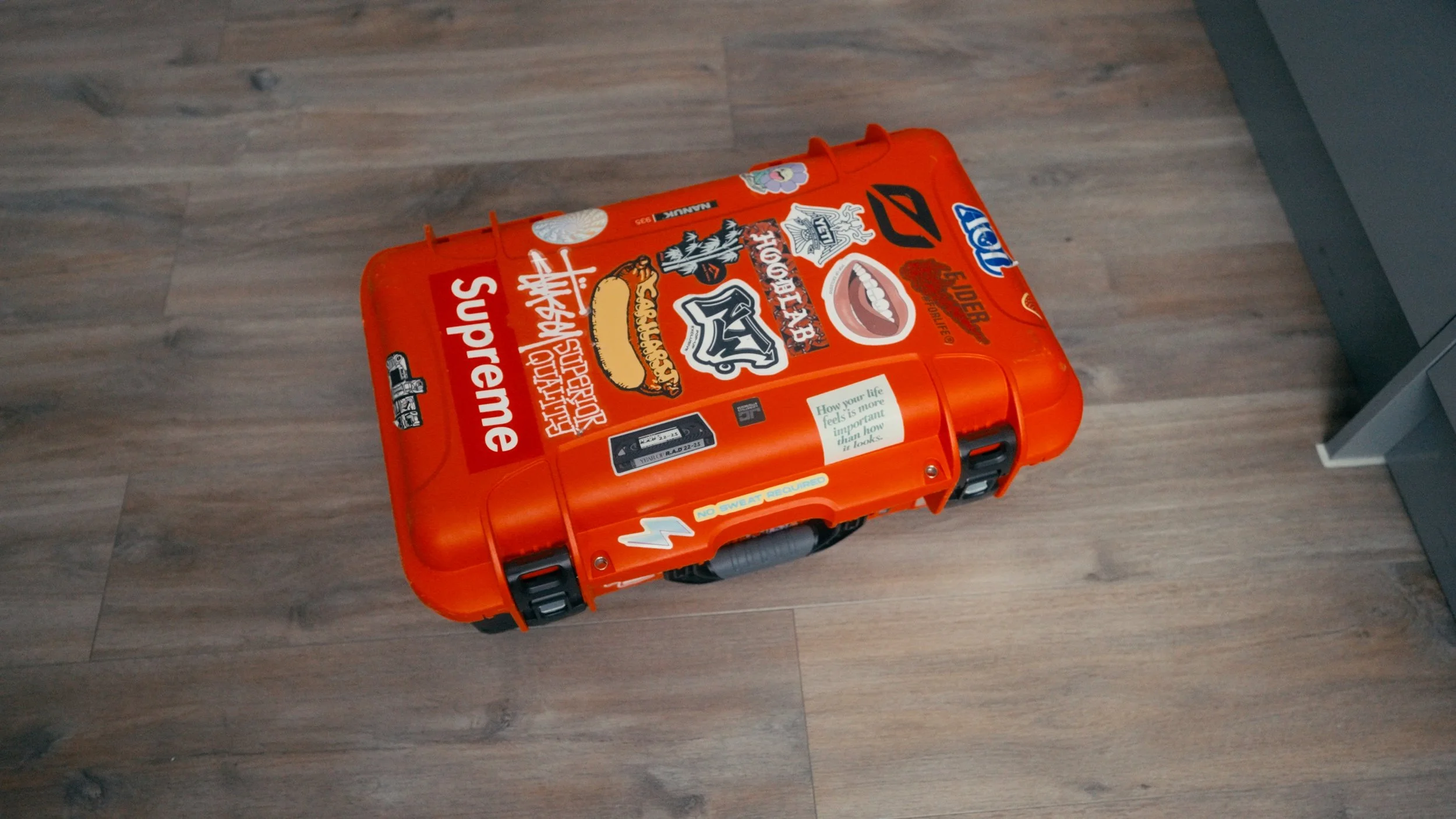
For larger projects, especially when I’m travelling (domestic or international), I use the Nanuk 935 hard case. It’s essentially my alternative to a Pelican. The build quality is right there, but I found it was better value, and the key thing is that it’s sized to fit in overhead storage. That means my cameras and lenses stay with me as carry-on, which is non-negotiable.
peak design outdoor 45l backpack (my daily workhorse)
For most shoots, I’m using the Peak Design Outdoor Backpack 45L. I backed it on Kickstarter and it’s become my main bag because it’s modular and genuinely built for carrying heavy loads properly.
What I love is that Peak Design approached it like an outdoor company first, not a camera company. When it gets heavy, the internal spine and weight distribution make a massive difference. The retractable waist straps help a ton on long days, and the external elastic hooks and tie points mean I can carry extra kit on the outside when the bag is full.
My setup: I use a large and small cube. The large one handles the main storage, and the smaller one sits at the top. I also run a PGYTech camera clip on the shoulder strap.
There are a few items that permanently live in the backpack because they’re so useful day-to-day:
multi-tool
wired headphones for audio monitoring
freewell card reader/holder
a small cable pouch (spare USB-C, HDMI, the stuff you always forget until you need it)
For big shoots, I’ll often bring both the Nanuk case and the backpack, because it lets me keep the fragile, expensive stuff locked in and organised, while still having quick access to the tools and accessories I use constantly.
cameras (what i use and why)
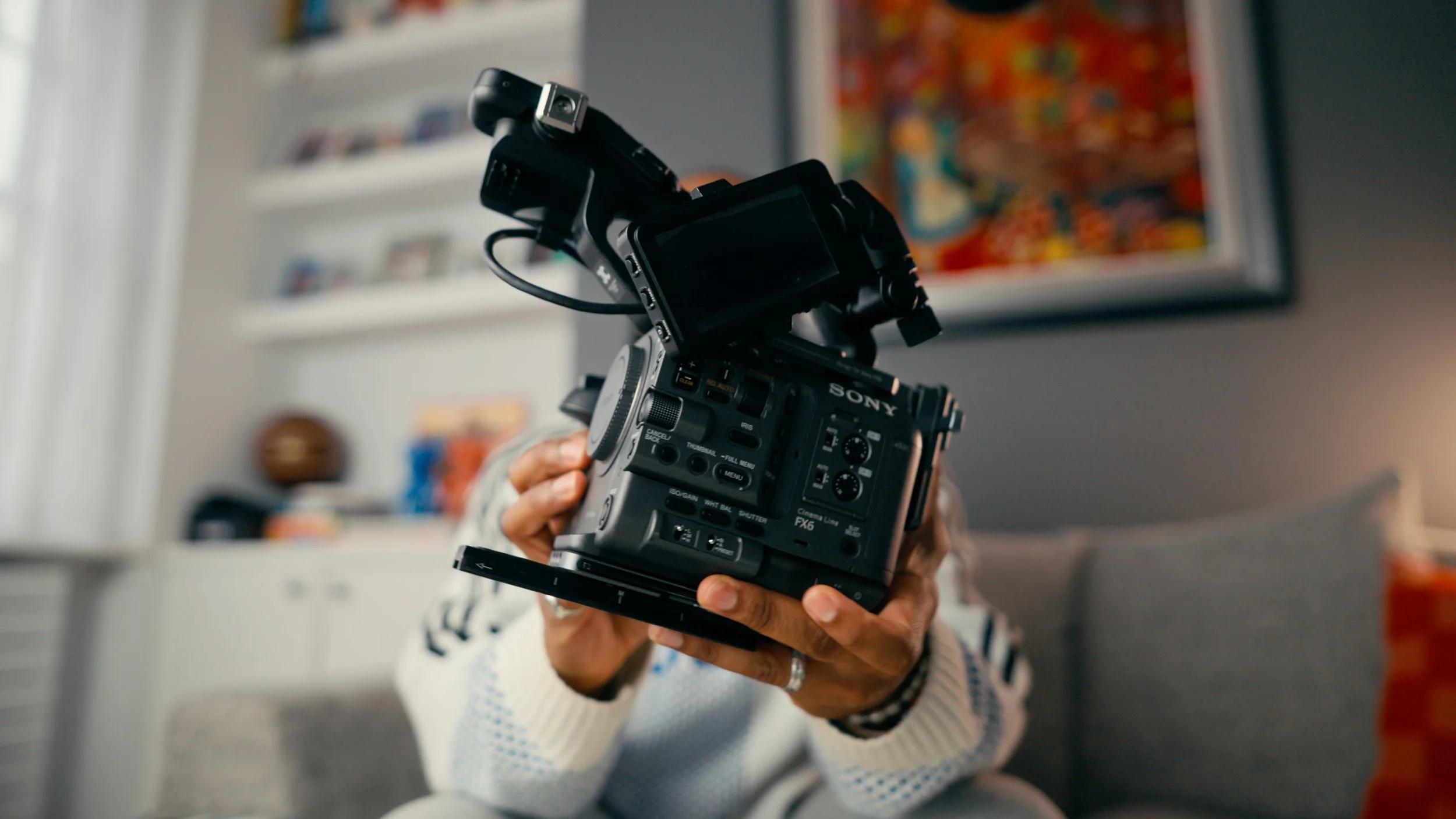
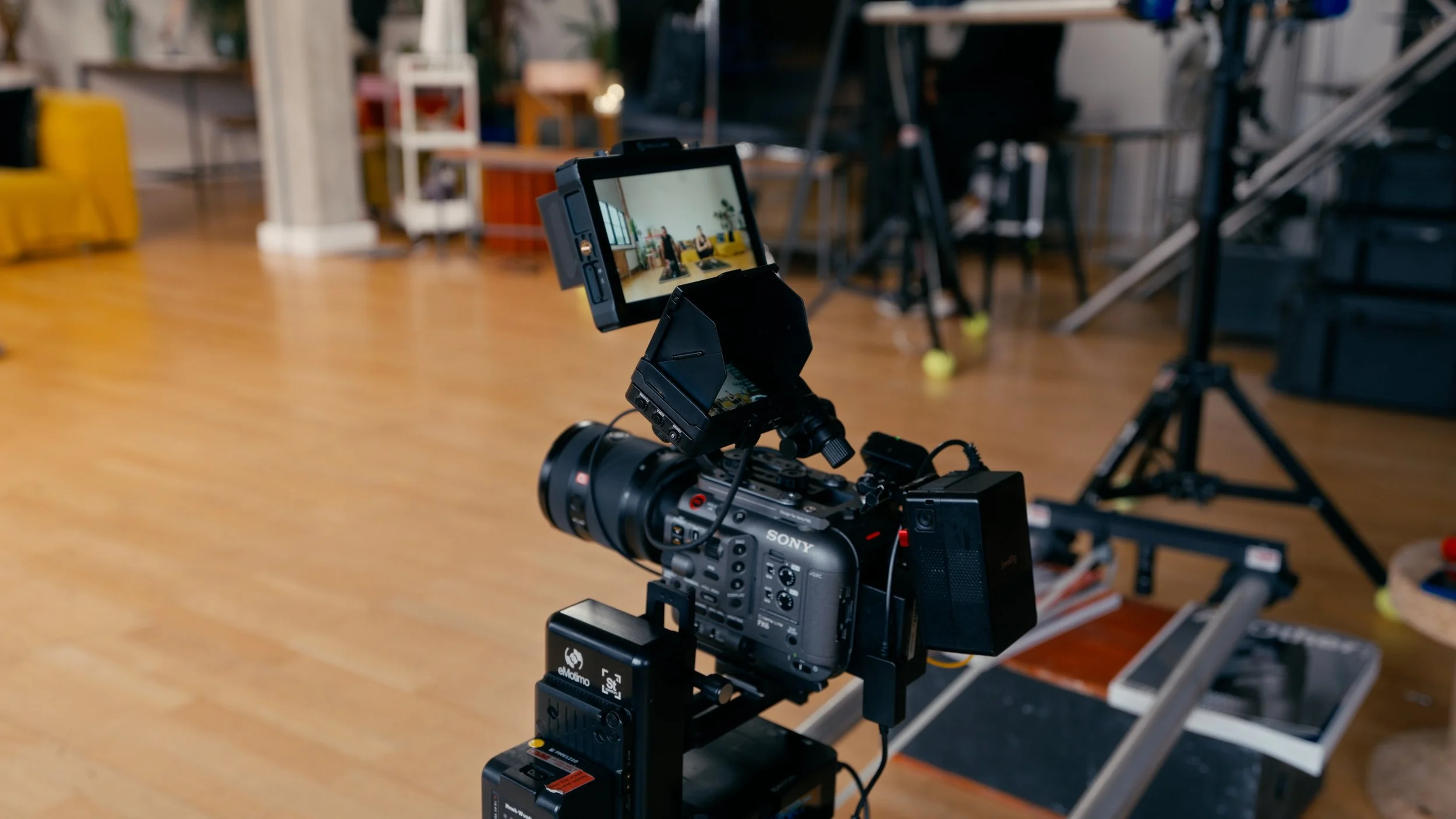
I bought the Sony FX6 in April 2024 when my work ramped up a lot with pliability. I was travelling more, following athletes, and shooting content across loads of uncontrolled environments, from documentary-style work to branded shoots. At that point, relying on the FX3 alone just wasn’t the smartest move for the kind of projects I was doing.
The FX6 has a steep learning curve compared to the FX3. It’s cinema-first, which means you’re doing more manually. The menus, white balance discipline, button layout, and overall setup are less forgiving. If you don’t dial something in, it won’t “save you” the way smaller hybrid cameras often do.
But once you’re comfortable with it, the internal ND filters are genuinely unbeatable. There’s nothing like being able to control exposure instantly while keeping your settings consistent, and the peace of mind it gives on fast-paced shoots is massive.
How it fits in my workflow: FX6 is my A-cam. It’s my handheld doc camera, my main interview camera, and it’s what I’ll use for 120fps close-up b-roll where I want the cleanest results.
I’ve had my Sony FX3 since it came out in 2021, and it’s been the camera behind a huge percentage of my work. Even now, it holds up incredibly well, and it’s kind of insane how competitive it still is compared to cameras that are only just releasing.
When I’m running both cameras, the FX3 becomes my B-cam and the gimbal camera. It’s lighter, easier to balance, and faster to deploy.
One important point: the FX6 and FX3 share the same sensor. So if you’re reading this thinking you “need” an FX6, you don’t. With the right tools and a solid workflow, you can get extremely close with an FX3. For me, the FX6 just fit the demands of my work better.
The Sony A7V is my newer hybrid body, and it’s basically my “one camera that can do it all” option. It’s where I go when I need proper stills professionally, or when I want one camera that covers both video and photo without compromise.
The FX6 can’t shoot photos, and the FX3 can, but 12MP isn’t ideal for a lot of professional stills work. So having a strong hybrid camera matters for me, especially when I’m travelling and want to keep the kit lighter.
I still treat the FX3/FX6 as my dedicated pro video tools, but the A7V is easily the best value “main camera” choice if you’re early in your journey and want a single body that can scale with you.
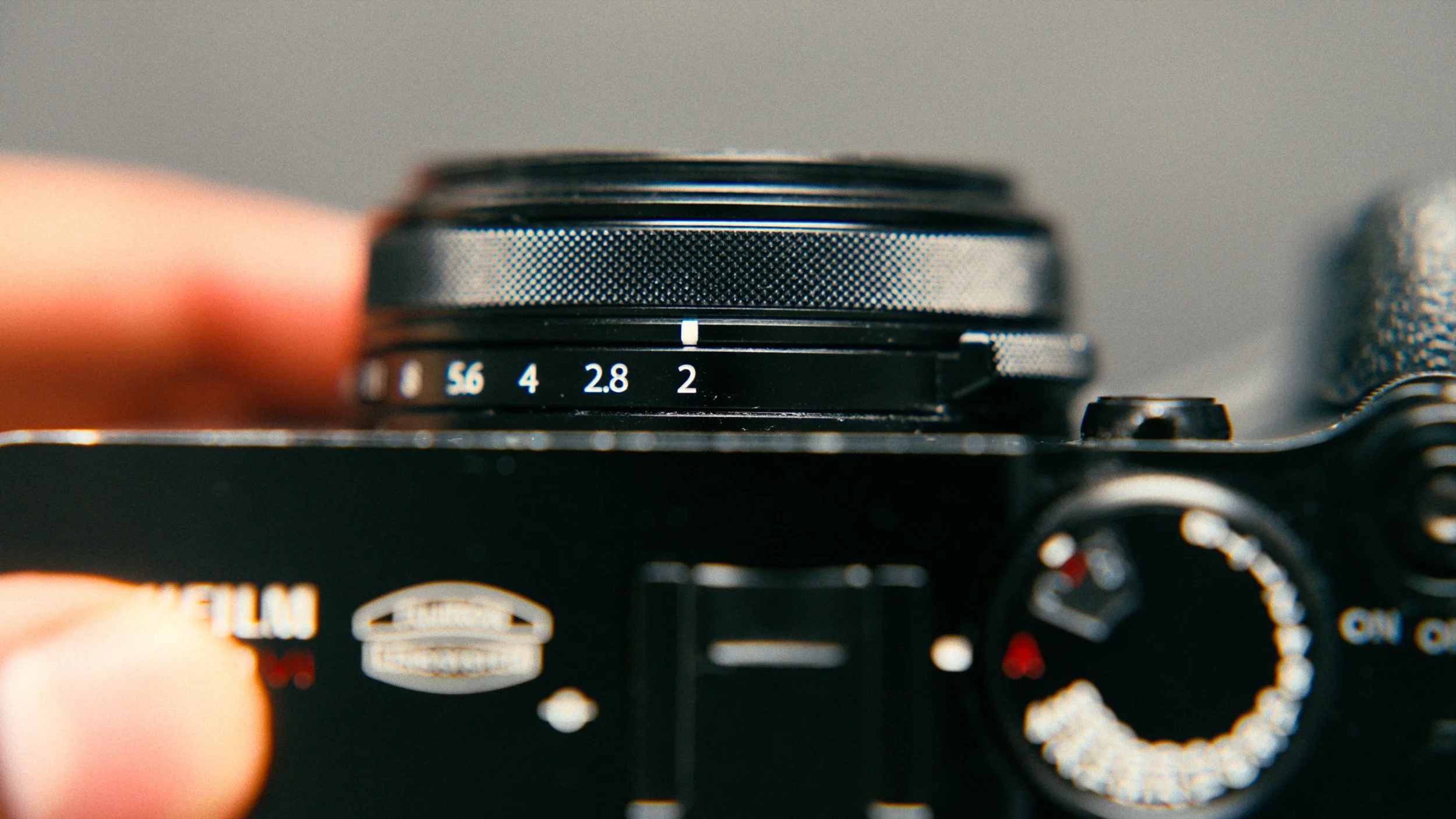
The Fujifilm X100VI is my personal camera, and it’s basically my way of keeping photography fun. I shoot JPEGs only, and that’s intentional. The straight-out-of-camera results are genuinely beautiful, and the fixed lens removes the endless decision-making that can come with interchangeable systems.
It’s also a nice mental break from work cameras. I’m not thinking about rigs, settings, or matching shots. I’m just shooting.
My phone is always vertical, and I keep it simple. I rarely use it for professional video because I already have dedicated cameras for that, but it’s still an amazing tool for capturing moments quickly. I intentionally keep it “phone-like” rather than trying to build a whole cinematic rig around it.
lenses (what i actually use most)
If there’s one area where gear really can change your output, it’s lenses. Bodies come and go, but good lenses stay useful for years.
For most real-world shoots, I rotate between two main zooms:
Sony 16-35mm f2 II
Sony 28-70mm f2
Those two lenses cover an insane amount of what I do. On a typical job, I’ll often have one on the video camera and one on the photo camera. If I had to strip my kit down, I could realistically survive on those two for most work.
If someone can only afford one lens, a 24-70 range (or equivalent) is still the best starting point. It’s the most versatile focal range for content, travel, client work, and general shooting.
My main primes are:
24mm f1.4
35mm f1.4
50mm f1.4
I’ll reach for primes when I know the shot, I want maximum image quality, I want bokeh, or I’m in low light. They’re also perfect for controlled multi-cam shoots where the camera-to-subject distance stays consistent.
A good example is the multi-cam app content I shoot for pliability. With two cameras on sliders and one on a tripod, primes make sense because I’m not relying on zoom versatility, I’m prioritising the cleanest image possible.
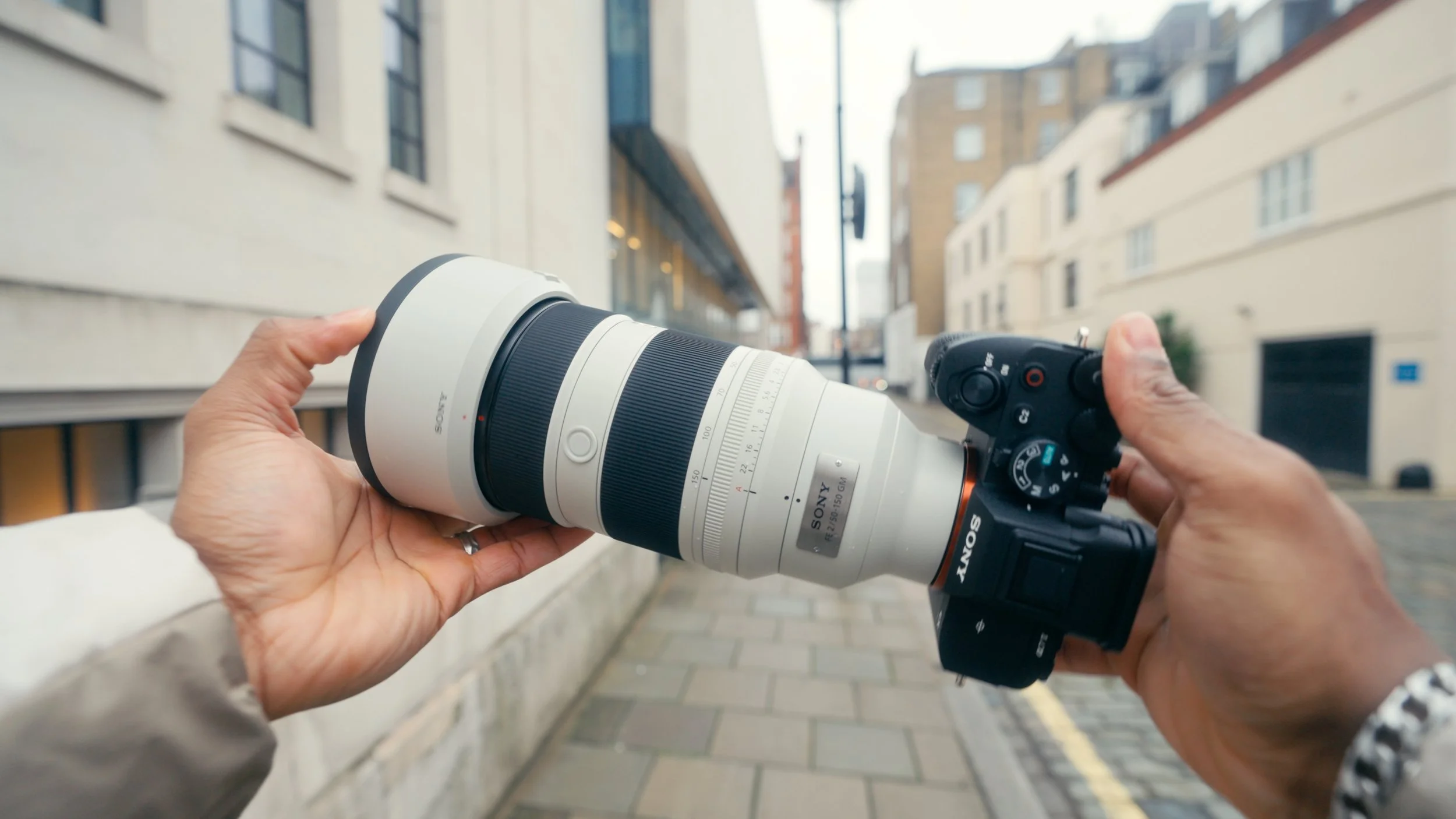
The Sony 50-150mm f2 replaced my old Tamron 35-150. I grabbed it on a good deal around Christmas after selling some other gear, and it made sense for how I shoot.
The Tamron wasn’t “bad”, but I kept running into little things that put me off using it. Occasionally the image felt oddly soft or flat compared to my other lenses, the colour shift stood out, the autofocus didn’t feel as confident, and the way the aperture shifts through the zoom range started to annoy me. Over time, that meant I reached for it less, and that’s usually the sign something needs to go.
The Blazar Apex 35mm was more of an impulse purchase. It’s fun and it can look cool, but if I’m being honest, I wouldn’t call it a top recommendation. The 1.33x squeeze isn’t enough to deliver a really strong anamorphic look, so you end up with a slightly soft image without the character payoff you’d want.
One lens I don’t own but rent often is the Sony 28-135mm PZ f4. It’s old, heavy, and still expensive for what it is, but the power zoom and parfocal behaviour are honestly unreal. Until you’ve used a parfocal lens properly, you don’t realise how fun it is to zoom while holding focus. I really wish Sony would release an updated version.
tripods
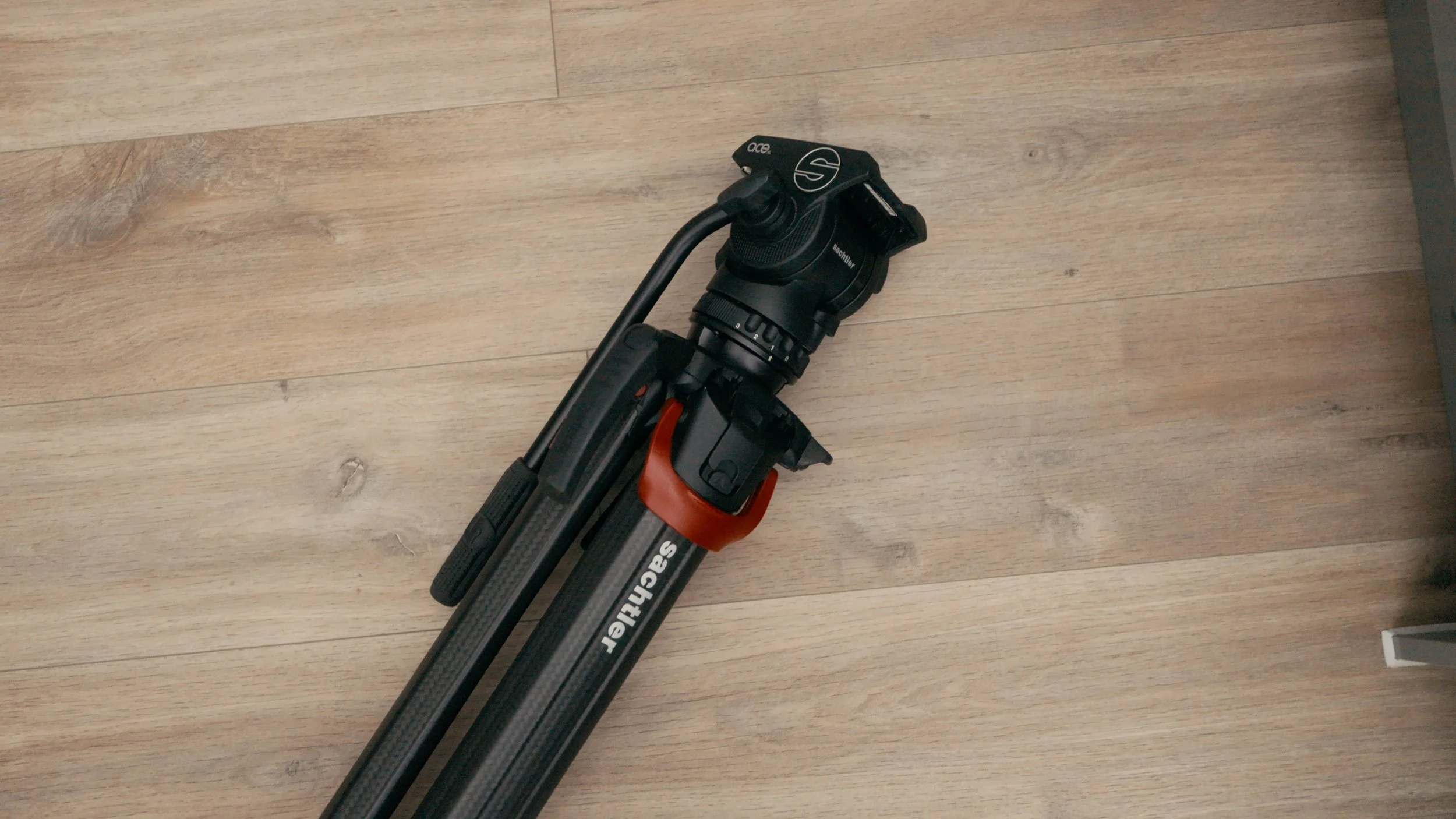
Sachtler Flowtech + Activ8 for the FX6. Rock solid, gorgeous performance, annoying to travel with.
Peak Design carbon fibre travel tripod for travel and lighter setups.
gimbal
I use the DJI RS4 Pro mainly with the FX3. A gimbal is a gimbal, but what matters is the workflow around it.
The biggest upgrade here is my PGYTech quick release system. Having a consistent plate system across tripods and the gimbal means snapping on/off without rebalancing, and it saves way more time than people expect.
audio + monitoring:
sony ecm-b10 (simple, clean, travel-friendly)
The Sony ECM-B10 is one of my favourite pieces of gear because it’s so seamless. It slides into the Sony hot shoe, no cables, no separate battery management, and it just works. For lightweight setups, travel, or quick run-and-gun jobs, it’s an easy win.
sennheiser mkh 600 (my main shotgun mic)
The Sennheiser MKH 600 is my main shotgun mic for interviews and higher-stakes work. I’ve owned it since March 2021 and it’s been flawless. Once you buy a proper mic and take care of it, you’re set for years.
hollyland lark max (wireless convenience)
For wireless audio I use the Hollyland Lark Max system. The big reason is convenience, and I love that I can monitor audio in a way that doesn’t completely block me off from what’s happening around me on set.
field monitors
I rotate between:
Portkeys LH7P as my main on-camera monitor (clean, reliable, does what I need)
Hollyland Pyro 7 for bigger jobs, because having built-in TX/RX capability is just ridiculously useful
editing setup (where most of the work actually happens)
This is the part of the workflow people often underthink, even though it’s where the majority of your time is spent. A powerful camera means nothing if your edit setup slows you down, crashes, or forces you to compromise constantly.
mac studio m3 ultra (96gb ram, 2tb ssd)
My main machine is the Mac Studio M3 Ultra, specced with 96GB of RAM and a 2TB internal SSD. On paper, this thing is a monster, and in many ways it is. It handles heavy timelines, large projects, and multi-cam work without complaint.
That said, I want to be honest about expectations.
I upgraded from a 16-inch MacBook Pro M1 Max with 32GB of RAM, which was already a very capable machine. The reason for the upgrade wasn’t because that laptop was bad, but because my work shifted. I was editing more from home, dealing with heavier colour grades, larger FX6 files, and more complex timelines in DaVinci Resolve.
Where the Mac Studio shines:
Very stable on long sessions
Handles large timelines without choking
Scrubbing is smooth, even with multiple cameras
Great for colour work and long-form projects
Where it didn’t meet my expectations:
Exports weren’t dramatically faster than expected
It doesn’t feel “instant” in the way you might assume from the specs
DaVinci Resolve doesn’t fully utilise all the available power yet
My honest take is that this machine is overkill for most creators. You could get 80–90% of this performance for significantly less money with a lower-tier Mac Studio or a well-specced MacBook Pro. I don’t regret buying it, but I also wouldn’t blindly recommend this exact configuration unless you know you’ll benefit from it.
If you’re editing YouTube, social content, and standard client work, you don’t need this.
macbook pro (travel editing)
When I’m travelling, I edit on a 13-inch MacBook Pro. It’s capable, but noticeably slower once timelines get heavy. I treat it as a tool for rough cuts, selects, and light edits, not final colour-heavy exports.
This is an important distinction. Just because you can edit everything on a laptop doesn’t mean you should. Knowing where each machine fits saves a lot of frustration.
monitors (colour accuracy actually matters)
Monitors are one of the most misunderstood parts of a setup. You don’t need five displays, but you do need at least one you can trust.
main colour monitor (apple studio display)
All colour-critical work happens on my Apple Studio Display. It’s the monitor I trust for exposure, skin tones, and final output decisions.
Why I use it:
Consistent colour
Excellent brightness
No calibration headaches
Matches Apple devices well, which matters when most content is viewed on phones and laptops
Is it the best value display on the market? Probably not. But it’s reliable, and reliability matters more than specs when you’re delivering work to clients.
Alongside that, I use a 27-inch HP monitor as a secondary display. This is not colour accurate, and I treat it accordingly.
This screen is for:
Timelines
Bins and media management
Email, notes, scripts
Anything that doesn’t require colour judgement
This setup is intentional. One trusted screen, one functional screen. Trying to colour-grade across multiple mismatched monitors is a fast way to lose confidence in your work.
storage and data management
This is the least exciting section, but arguably one of the most important.
external ssds (active projects)
For active editing, I work off external SSDs:
Crucial X10 Pro
Samsung T9 (4TB)
These are fast enough for 4K workflows, reliable, and small enough to travel with easily. I’ll usually keep:
current project files
proxies if needed
project-specific assets
on one dedicated drive per project.
nas (long-term storage + backup)
All finished projects and archived work live on a QNAP NAS. This gives me:
redundancy
peace of mind
a central place for everything long-term
I don’t rely on a single drive for anything important. If a project matters, it exists in more than one place.
ipad (quietly one of the most useful tools)
The 13-inch iPad Air deserves more credit than it gets.
I use it for:
pre-production planning
Milanote boards and references
lighting diagrams and camera layouts
giving talent scripts to read from
monitoring cameras on multi-cam shoots
remote client viewing and feedback
On multi-camera shoots, I use it to control multiple cameras at once. Starting and stopping all cameras together, adjusting settings, and even sharing the screen with a remote client has been genuinely game-changing.
It’s also intentionally low-risk. There’s no sensitive data on it, so I’m comfortable handing it to clients or talent on set.
This is one of those tools that doesn’t look impressive in a gear list, but massively improves workflow and communication.
accessories that quietly save time
These are the items that don’t look exciting, but remove friction every single day.
pgytech quick release system
This is one of the biggest quality-of-life upgrades in my entire kit.
Having a consistent quick release plate across tripods, gimbals, and handheld setups means:
no rebalancing every time
no fiddling with plates
faster transitions between setups
It sounds minor until you’re doing it 20 times a day.
batteries and charging
I mostly stick with Sony batteries, plus a Tilta multi-dock charger.
Why this charger matters:
charges multiple batteries at once
shows battery level immediately
doubles as storage
It removes guesswork, which is the theme of this entire setup.
I still use the Logitech MX Master 3, and I’ve had it for years. It’s reliable, customisable, and comfortable for long sessions. New versions exist, but there’s no meaningful reason for me to upgrade.
the real point (what i want you to take away)
There will always be better gear on paper. There will always be another brand, another lens, another camera that someone swears is “the one”. But your results come from you, not the shopping list.
Gear becomes useful when it helps you shoot more, finish more, and stay in the creative flow. As long as you have a reliable tool to record your vision, the rest comes after. Your eye gets better from shooting, your confidence grows from finishing, and your style comes from repetition.
If you’re stuck in research mode right now, I’d rather you pick something solid, commit to it, and start creating. That’s how the creative muscle actually gets stronger.
affiliate note
Some of the links in this post may be affiliate links, which means I may earn a small commission if you choose to purchase through them. It doesn’t cost you anything extra, and it helps support the channel and the work that goes into these videos. Not every link will be an affiliate link, but I’ll always aim to be transparent where possible.